Use this guide to sign in, protect and personalize your account, and choose which activity reaches you by email, desktop, or mobile. My Account applies only to you; administrators manage roles and project access elsewhere.
Learn how account access differs from roles and record sharing in Permissions and Data Visibility.
Start here
- Accept an invitation: Sign in for the first time.
- Sign in without a password: Use a magic link.
- Change account security: Update email or password and configure MFA.
- Adjust app preferences: Update personal preferences.
- Control notifications: Choose notification activity, then configure email, desktop, or mobile.
- Replace a phone: Manage registered devices.
- Sign-in or delivery failed: Troubleshoot account and notifications.
Sign in and secure your account
Sign in for the first time
- Open the invitation email. Project invitations use Join the project "Project Name" from Company Name; organization invitations use Join Company Name on Constructable.
- Select Accept Invitation.
- On Welcome! Let's set up your account., choose a password.
- Select Register my account and sign in.
Invitations expire after seven days. If the link is missing or expired:
- Select Forgot your password? on the sign-in page.
- Enter the exact invited email address.
- Select Send password reset email.
- Open the email, choose a password, and select Save new password and sign in.
The account exists when someone adds you, so this recovery route does not require another invitation. Check spam and quarantine or ask an administrator which address was invited when email does not arrive.
Use a magic link
- Select Get a magic sign-in link.
- Enter your email on Sign in to your account with a magic link.
- Select Send me a magic sign-in link.
- Open the email and select Sign in to Constructable.
Use Resend magic link when needed. Links expire and do not change your password. MFA still requires its six-digit code after a magic-link sign-in.
Update email or password
To change email:
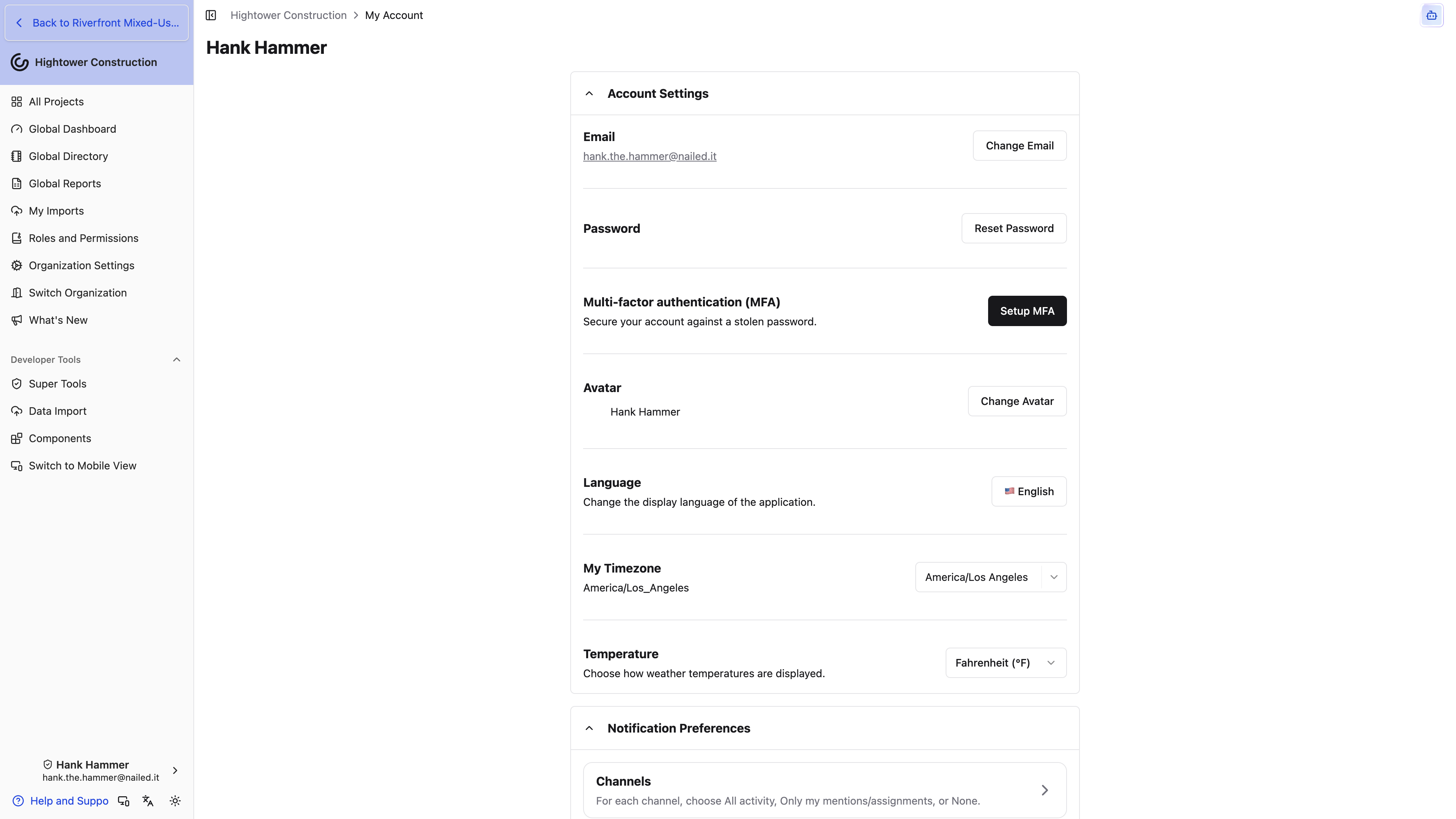
- Open My Account → Account Settings.
- Select Change Email.
- Enter the new address in Update Email and submit.
The new address becomes your sign-in and account-email address, including notification delivery.
To change password:
- Select Reset Password.
- Wait for Reset password email sent.
- Open the email and follow its reset link.
If you cannot receive mail at the current address, contact an organization administrator or [email protected].
Configure MFA
To enable MFA:
- Select Setup MFA under Multi-factor authentication (MFA).
- Scan the QR code with an authenticator app, or enter the shown secret.
- Enter the current six-digit code.
- Select Activate MFA.
To turn it off, select Deactivate MFA. This removes the second sign-in factor. If the authenticator is lost, ask an Admin to reset your password and reinvite you; that also disables MFA.
Update personal preferences
- Select Change Avatar and upload a JPEG or PNG.
- Set My Timezone for time display and notification schedules.
- Set Temperature to Fahrenheit or Celsius.
- Set Language to English or Spanish. The same choice is on the sidebar language control. It changes only how Constructable is labelled for you.
- Under User Preferences, choose System, Light, or Dark.
- Choose whether Scrollwheel zooms the drawing viewer. New accounts start with this on; if you've already signed in, your previous choice is kept.
With drawing scrollwheel zoom enabled, hold Space or Control—Command on Mac—to pan vertically. These settings affect only your account.
Sign out
Open My Account, select Sign Out of Constructable, and wait for the sign-in page. Sign-out removes the local session and cached app data. On native, it also deregisters that device from mobile push.
Configure notification preferences
Notification activity and delivery are separate. Channels decides what qualifies; Email, Desktop, and Mobile settings decide where it arrives. Both must allow an event.
Notification settings never change record access. An alert can point to a record you later cannot open because role, membership, sharing, or status changed.
Choose notification activity
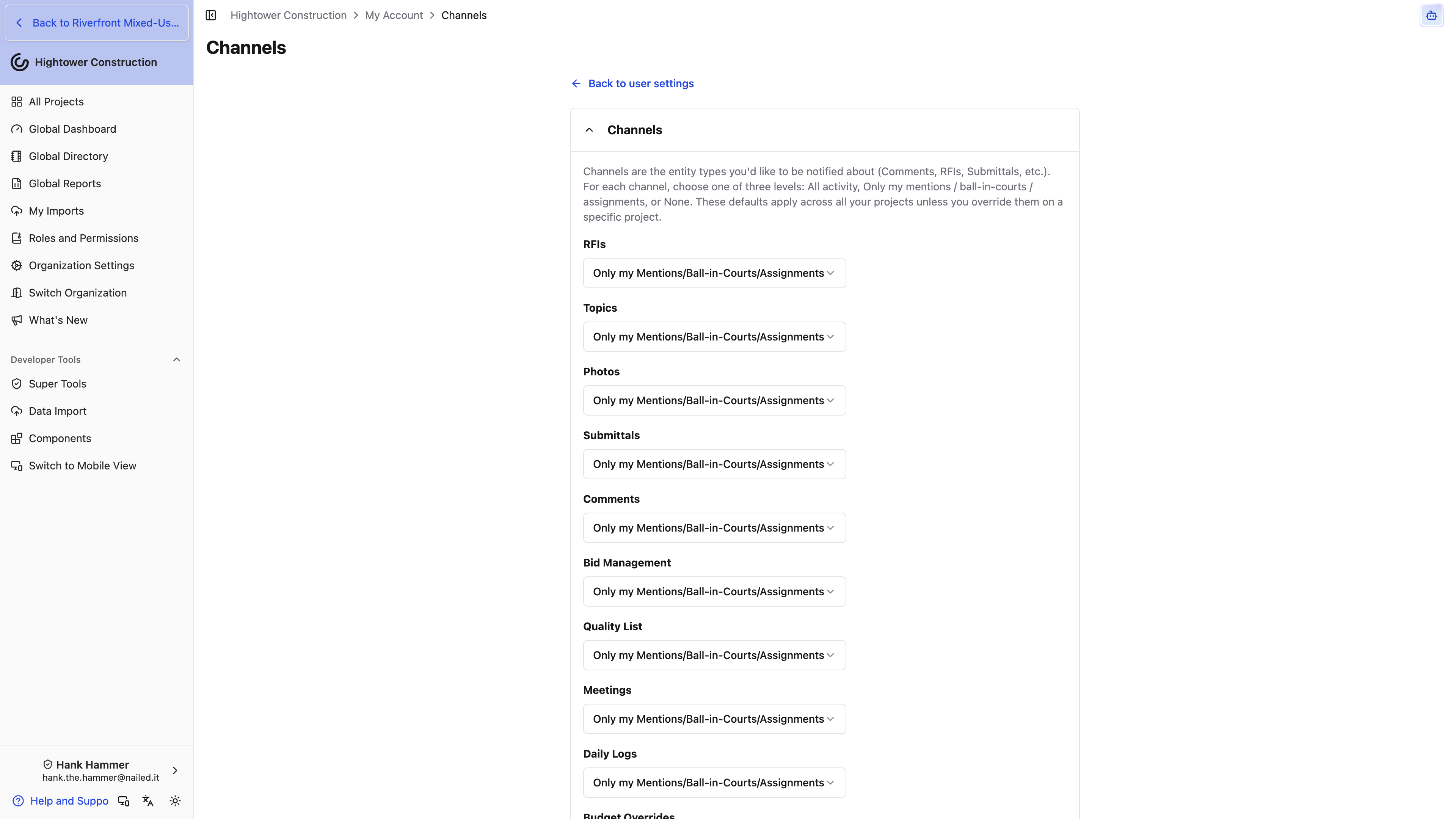
- Open My Account → Notification Preferences → Channels.
- Review Comments, RFIs, Submittals, Meetings, Daily Logs, Project, financial records, and other available channels.
- Choose for each:
- All Activity
- Only my Mentions/Ball-in-Courts/Assignments
- Do not notify me
These are your defaults across projects unless you override a project or record. Changing a Channel affects notifications only; it does not hide records or change anyone else's subscriptions.
Configure email delivery
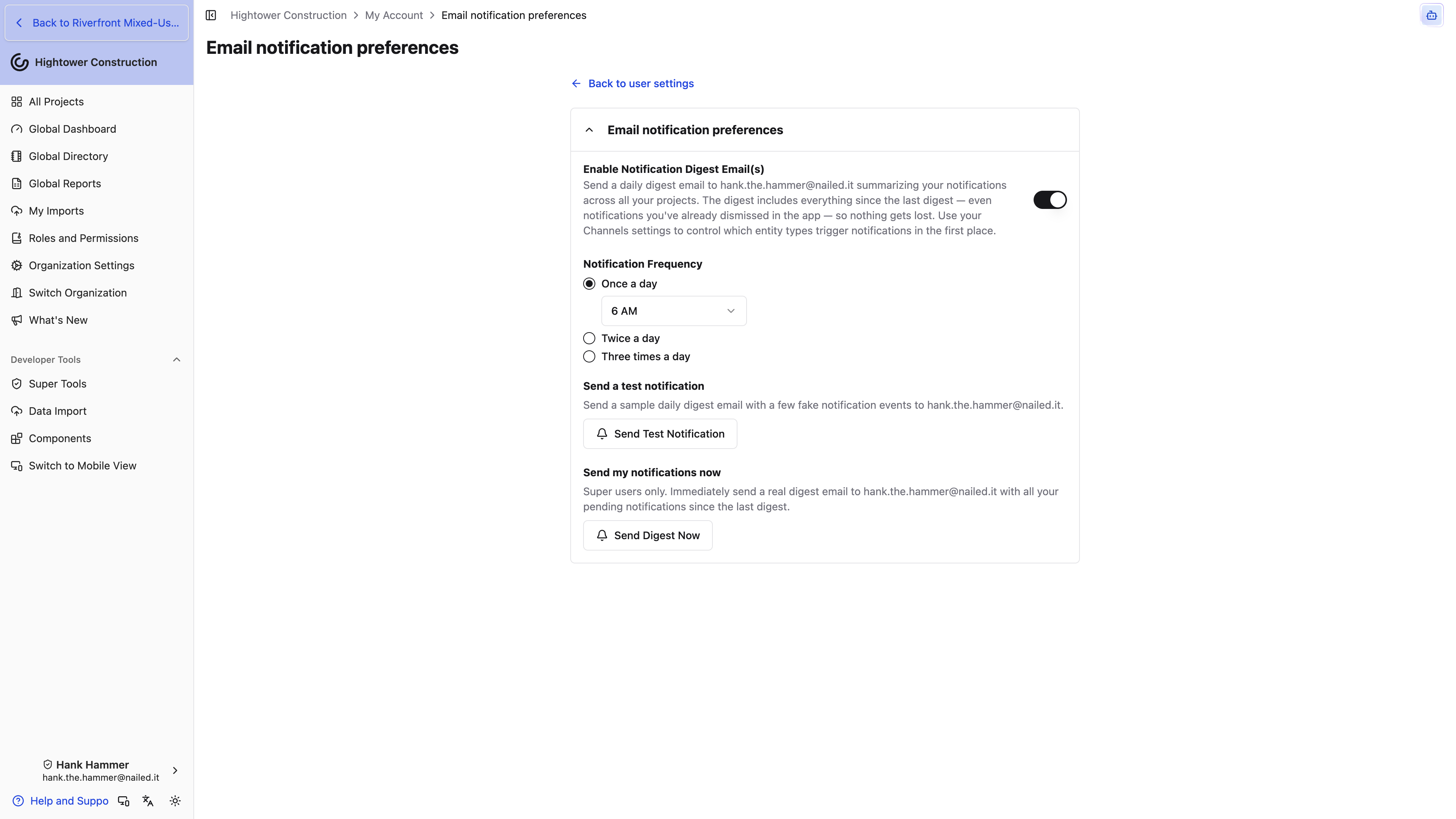
- Open Email Notifications.
- Enable Enable Notification Digest Email(s).
- Under Notification Frequency, choose Once a day, Twice a day, or Three times a day.
- Select each delivery hour from 6 AM through 8 PM in My Timezone.
- Select Send Test Notification.
The digest arrives with the subject "Get Caught Up on Your Projects" and includes qualifying notifications since the prior digest, including ones already dismissed in the app. When someone @mentions you or puts an RFI or submittal ball-in-court with you, we group those notifications for up to fifteen minutes and send an immediate email with an actionable subject instead of holding them for the next digest; they can also appear in the next digest.
Inside, activity is grouped by project and then by the record it happened to, so you read one RFI's morning rather than a chronological jumble. A few things are worth knowing about how it reads:
- Each RFI or submittal carries its current status in parentheses beside its title — (Open), (Closed), and so on. That's the status right now, not when the activity happened, which is what tells you whether something still needs you.
- Anything that also triggered an immediate email is listed first under its record, so the urgent items are at the top rather than wherever they fell in the day.
- Identical activity on the same record is combined with a count, like (2x), instead of repeating the line.
- Busier records get a short written summary underneath the list, so you can decide whether to open it without reading every line.
Note: The summary is generated for you and won't always be there. Treat it as a way to triage, and open the record before acting on anything consequential.
Turning off the email master setting stops digest and immediate email without disabling desktop or mobile delivery.
Using the unsubscribe link in an email footer is a different thing again: it stops us delivering notification email to you at all, while your in-app notifications carry on as normal. Two kinds of mail are deliberately exempt, because missing them would lock you out of work rather than just quieten it:
- Project invitations, so you can still be added to a new project.
- Contract and eSigning email — signature requests, approvals, and executed copies.
Everything else respects the unsubscribe — digests, immediate emails, and the distribution mail that goes out when an RFI is closed or a Submittal is closed and distributed. If a recipient on one of those lists reports never getting the email, check whether they unsubscribed before you go looking at the distribution list.
Note: Unsubscribing isn't the same as turning the digest off. Turning off Enable Notification Digest Email(s) stops the notification emails from being created; unsubscribing stops them being delivered. If you want fewer emails rather than none, adjust Channels and the digest frequency instead.
Configure desktop delivery
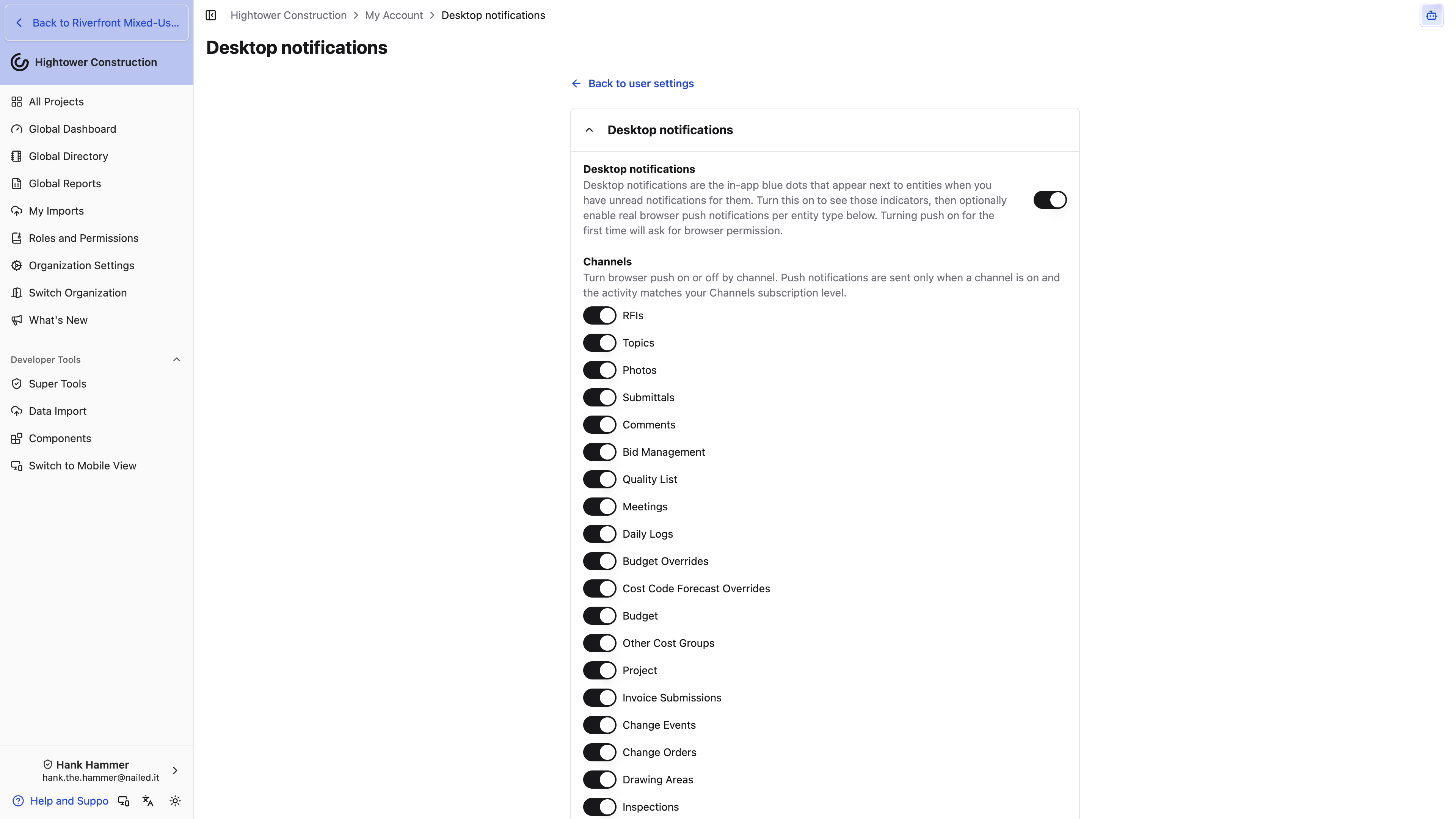
- Open Desktop Notifications.
- Enable Desktop notifications.
- Approve the browser permission prompt when shown.
- Enable browser-push channels.
- Select Send Test Notification.
The master switch controls in-app blue unread dots. Channel switches control browser push by record type. Browser push also requires site and operating-system permission plus a qualifying Channels level.
Configure mobile delivery
- In the Constructable native app, open Mobile Notifications.
- Enable Mobile notifications and approve the operating-system prompt.
- Enable mobile-push channels.
- Confirm the corresponding Channels levels.
- Select Send Test Notification.
- Lock or background the phone while waiting; iOS does not show the normal banner while the app is foregrounded.
If permission was previously denied, enable Constructable notifications in the device settings. A browser can preserve the preferences but cannot register itself as a phone or tablet.
Manage registered devices
- Open Mobile Notifications.
- Review Registered devices and last-active information.
- Select Remove for an old device.
- Select Click again to confirm.
To register a device again, open the native app on it and grant notification permission. The list covers all devices registered to your account.
Reset notification preferences
Select Reset to Default, review the confirmation, then select Reset to Default again.
Reset:
- Sets every Channel to Only my Mentions/Ball-in-Courts/Assignments.
- Enables digest email once a day at 6 AM.
- Enables desktop and mobile with their default delivery channels.
- Clears project and record overrides to Only my Mentions/Ball-in-Courts/Assignments.
The reset cannot be undone and affects only your account. If one project is noisy, adjust that project's override instead.
Access and platform differences
- Every standard role can manage its own account; an administrator cannot set another person's delivery preferences.
- Desktop browser push requires a supported browser and browser or operating-system permission.
- Mobile push registration and operating-system permission happen only in the native app.
- Registered devices can be reviewed from other layouts, but a browser cannot register as a mobile device.
- Time-based delivery uses My Timezone.
- Roles and Permissions control what you can open; notification settings only control delivery.
Troubleshoot account and notifications
I cannot sign in
Confirm the exact invited email, use the expired-invitation password-reset route, then try a magic link. If MFA is blocking access and the authenticator is lost, ask an Admin to reset and reinvite you.
An email says sent but never arrives
Confirm the account address, check spam and quarantine, and ask the mail administrator whether Constructable mail is blocked. Security flows show neutral confirmations and do not confirm whether an account exists.
An MFA code is rejected
Use the current code, verify the authenticator entry came from the displayed QR code or secret, wait for a fresh code, and confirm the authenticator device clock is accurate.
Browser push is unavailable
Use browser site settings to allow notifications, then return to Desktop Notifications. In-app blue dots can still work when browser push is unavailable.
Mobile push does not arrive
Check, in order: native-app permission, Registered devices, the mobile master switch, its delivery channel, the matching Channels level, and Send Test Notification. Background or lock iOS for the test.
Email digest omits expected activity
Check the matching Channels level, event time relative to the last digest, current record access, and the account email address. Use the test action to separate delivery from project activity.
A dismissed notification appears in the digest
This is expected. Dismissing clears the in-app item; the digest still includes qualifying activity since its previous delivery.
A notification opens an access error
The notification did not grant access. Ask an administrator to inspect your role, project membership, access level, record sharing, and the record's current status.