Use this guide to create a project, define its identity and structure, configure project-specific tools and integrations, add project participants, export records, and hide completed work. Shared catalogs and defaults belong in Organization Settings.
Start here
- Create a project: Create and identify the project.
- Organize drawings and work: Configure Drawing Areas and Sub Projects.
- Add locations and the team: Configure locations and people.
- Set project-specific tools: Configure project tools and integrations.
- Finish or archive setup: Export records or hide the project.
- Remove a project created by mistake: Delete a project.
- A control is missing: Troubleshoot project setup.
Create and identify
Create and identify the project
- Open All Projects.
- On web, select New Project. On mobile or native, open the actions menu and select Add Project.
- Enter the required Project Name and optional Project Number.
- If an accounting integration is connected, choose whether to Exclude from [integration name] Sync.
- Save. Constructable opens the new project automatically.
- Open Project Settings → General Project Settings → Edit.
- Confirm Name, Project Number, and Project Cover Image, then select Save Project Settings.
- Edit Project Info and add Stage, Address 1, Address 2, City, State, and Postal Code as needed. Stage picks from Organization Settings → Project Stages. If your role has Update organization-level settings, you can add a stage from that picker and it lands in the organization catalog.
- Select Save Project Info.
Only Project Name is required. The name-and-number combination must be unique in the organization. The cover image accepts JPEG or PNG and recommends 1920 × 1080 pixels.
A new project starts with default project Cost Codes enabled and no selected Budget Type. Financial setup is a separate task.
Choose Organization or Project Settings
Use Project Settings for the open project's cover image, address, Drawing Areas, Sub Projects, locations, people, Cost Codes, financial choices, RFI and Submittal settings, integration inclusion, exports, and visibility.
Use Organization Settings for shared Cost Codes, Cost Types, Equipment, Trades, Bid Tags, Project Stages, Financial Settings, Document Signing Settings, email sign-off, dashboard presentation, API Access, and organization integrations.
Shared catalogs are not the same as project selection. Adding an organization Cost Code does not necessarily make the project use it; configure the project's Cost Codes separately.
Build the project structure
Configure Drawing Areas and Sub Projects
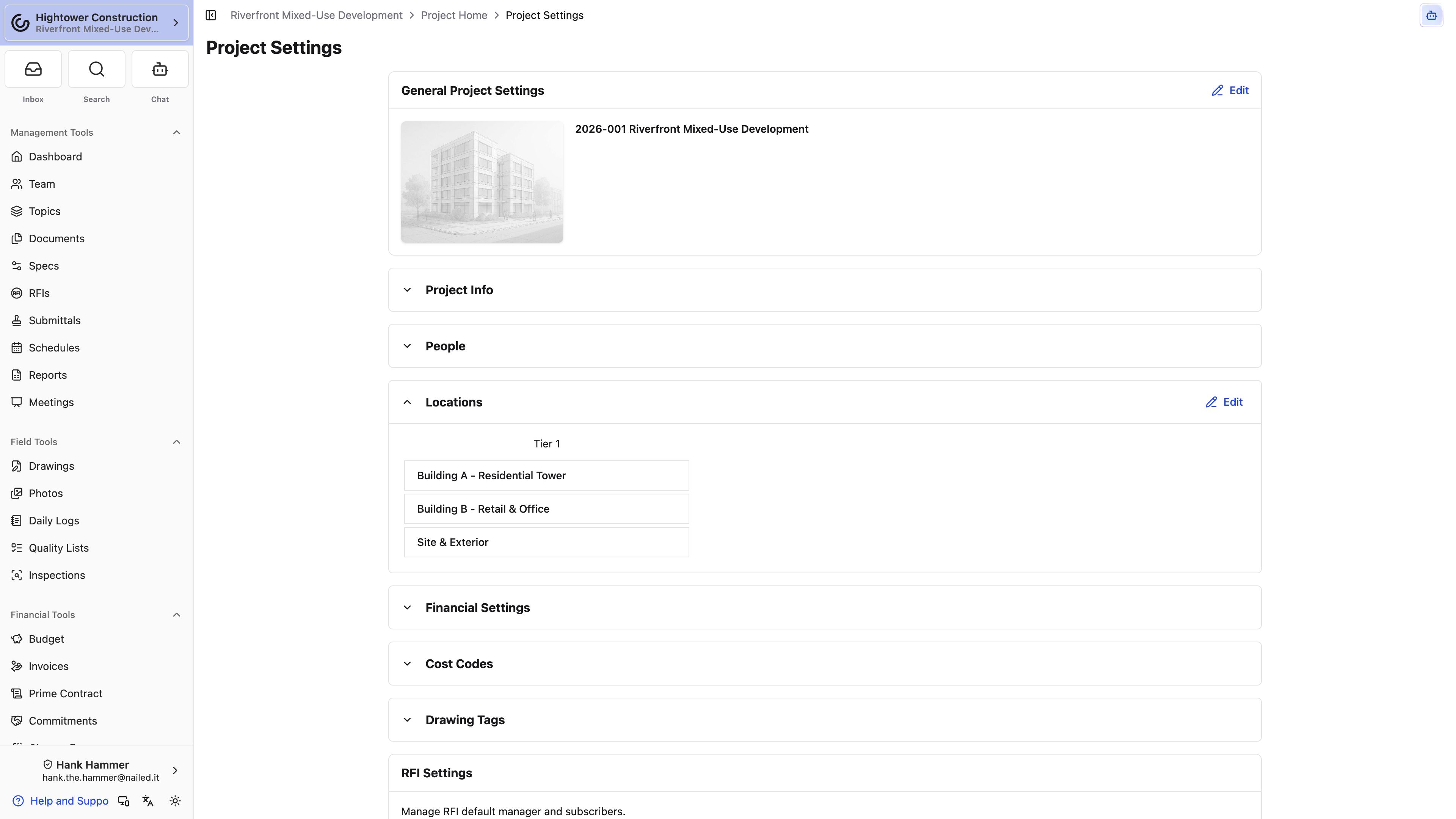
- Edit General Project Settings.
- Enable This project has multiple Drawing Areas for separate drawing collections.
- Enter a unique Drawing Area Name and use Add Drawing Area for more.
- Enable This project has Sub Projects for phases or other project groupings.
- Enter a unique Sub Project Name and use Add Sub Project for more.
- Select Save Project Settings.
At least one Drawing Area is required. Once the project uses multiple Drawing Areas or Sub Projects, its setup checkbox locks and cannot turn that structure off. A Drawing Area containing published pages cannot be removed from this form. Existing Sub Projects remain fixed; newly entered rows can be removed before saving.
Drawing Areas separate plan collections. Sub Projects group the project work. See Organizing drawing areas, disciplines, and sheets.
Configure locations and people
Use Locations to build the job's place hierarchy, such as building, floor, area, and room. While editing, use a location's three-dot menu → Rename to change its label without moving it in the hierarchy.
When the Financial package is enabled, People assigns the project's Architect and Prime Change Order Third Signer. The Architect name and address appear on the Payment Application cover page.
People does not add project participants. Open Management Tools → Team to add companies and users from the organization directory. See Team.
Configure project tools
Configure project tools and integrations
Review the sections available to your package and permissions. Project Settings uses tabs: General, Financial, RFIs, Daily Logs, Submittals, and Closeouts. Some tabs appear only with the matching package or permission.
- Drawing Tags maintains tags for project drawings.
- RFI Settings opens the default manager and subscriber settings.
- Submittal Settings opens numbering, templates, packages, managers, and subscribers.
- Closeouts generates project handoff packages.
- Integrations includes or Exclude from [integration name] Sync for an organization integration.
- Revenue Code Mappings appears when Revenue Codes are enabled.
The organization integration must be connected in Organization Settings before project inclusion can work. Excluding one project does not disable synchronization for the organization.
Tool-specific permissions still apply. Project write access does not grant Financials, Drawings, RFIs, Submittals, Daily Logs, or integration access.
Configure Cost Codes and Financial Settings
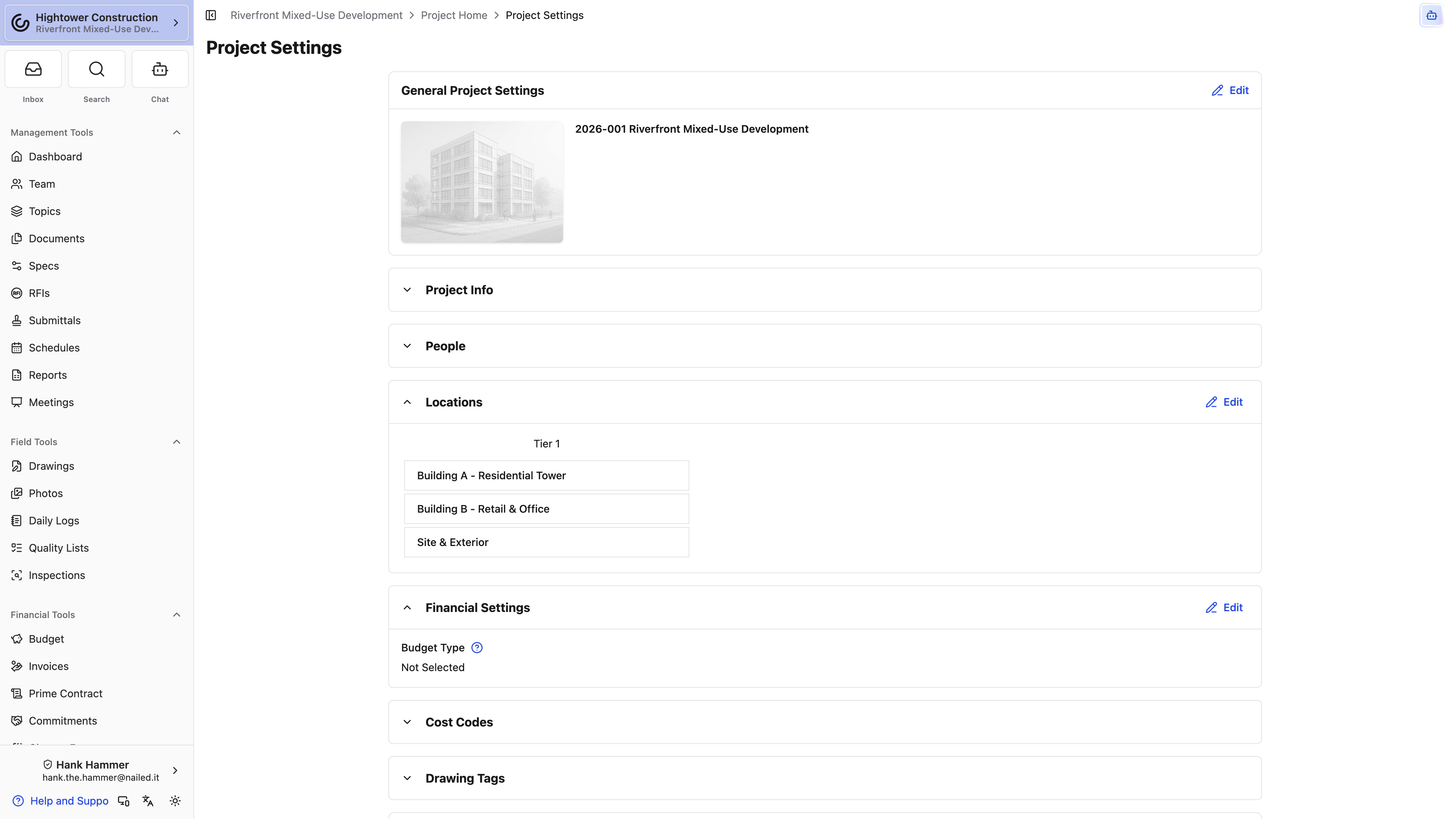
- Open Project Settings and select the Financial tab.
- Use Cost Codes to configure the current project's selection from the organization catalog.
- Use Financial Settings for project-specific financial choices.
- Under Subcontractor Invoice Approvals, add sequential approvers when vendor invoices should wait on named people in order. The empty copy is No sequential approvers. Anyone with Approve invoices can approve submitted invoices. See Configure subcontractor invoice approvals.
- Use Revenue Code Mappings when available.
- Save each section before moving on.
Financial changes require Manage financials like change orders, contracts, receipts (excluding financial reporting) in addition to project settings access. Configuring the approval list needs Manage invoice approval workflows. See Budget.
Maintain and close out
Export project records
Project record exports run through Closeout, which builds a ZIP in the background instead of asking you to sit and wait with a tab open.
- Select the Closeouts tab in Project Settings.
- Select Open Closeouts.
- Select Generate Closeout, tick the sections you need, and generate.
You'll get an email when the archive is ready, and the tile on the Closeout page carries the download. Each section you can tick depends on your read access to that tool, so the person producing a turnover package needs source access as well as Closeout access.
For the full workflow — planning a package, tracking generation, reviewing the ZIP, and exporting a single tool from its own page — see Closeout.
Delete a project
Deleting a project takes it out of Constructable for everyone, along with everything filed under it. It's an Admin-only action for exactly that reason, and it's almost never the one you want — if the job is simply finished, hide it instead.
- Open Project Settings and expand Delete Project.
- Select Delete Project.
- Read the confirmation, which names the project: "Delete Project "Riverside Tower"?"
- Select Delete Project again to confirm.
We return you to the organization's project list, and the project disappears from All Projects, the project switcher, search, and reporting.
Warning: There's no in-app undo and no hidden-projects style recovery view. Once a project is deleted, restoring it means contacting Constructable support — so use Hide This Project for finished work and save deletion for projects created by mistake.
What's the difference between hiding and deleting?
Hiding tidies a project out of the lists while leaving everything reachable; you can bring it back yourself with Show Hidden Projects. Deleting removes the project and its records from the product, and you can't reverse it on your own.
Why don't I see the Delete Project panel?
Only roles with Delete projects see it, and by default that's Admin alone. Project write access lets you hide a project but not delete one.
Hide or unhide a project
To hide:
- Open Project Settings → Visibility.
- Select Hide This Project and confirm.
To restore:
- Open All Projects in card view.
- Open the actions menu and select Show Hidden Projects.
- Open the project.
- Select Project Settings → Visibility → Unhide This Project and confirm.
Hiding removes the project from normal project lists and the switcher. It does not delete its RFIs, drawings, invoices, or other records.
Access and platforms
- Create new projects controls New Project / Add Project. Creating a project also requires Level of project access → All Projects. Only projects I belong to hides the creation action.
- Update existing projects, hide projects, add people to the project team controls Project Settings and adding people to the Project Team.
- Delete projects is nested under project write and Admin-only by default. Project write access does not include it.
- Built-in Admin, Manager, and Employee roles receive project write access by default, but organizations can customize editable permissions.
- Web labels the action New Project; mobile and native use Add Project in the actions menu.
- Tool settings, exports, and package-specific blocks require their own access.
- People requires the Financial package. Revenue Code Mappings requires Revenue Codes.
Troubleshoot project setup
New Project or Add Project is missing
Confirm Create new projects and Level of project access → All Projects. Only projects I belong to hides the creation action. On mobile or native, use the All Projects actions menu.
A project name is rejected
Another project has the same name-and-number combination. Change either value.
A Drawing Area cannot be removed
It contains published drawing pages. Keep the area or manage those drawing records first.
Drawing Areas or Sub Projects cannot be turned off
The project already uses that structure. You can add supported entries but cannot disable the established structure from the checkbox.
A settings section is missing
Check project settings access, the tool's own permission, package availability, organization feature settings, integration connection, and browser support.
People is missing
The organization does not have the Financial package, or your access does not expose that section.
A connected integration is not syncing this project
Confirm the organization integration is enabled and has no Auth Error, then clear Exclude from [integration name] Sync in this project's Integrations section.
A hidden project is missing
Open All Projects in card view and select Show Hidden Projects from the actions menu.